
Upload your images effortlessly by dragging and dropping into the designated area or selecting files manually from your device. You can also upload directly from Google Drive or Dropbox for convenience. The interface is designed to be simple and intuitive for quick access.
Specify the exact dimensions you need by entering the width and height values in pixels. This precise control allows you to prepare images for social media, websites, or printing with perfect sizing. The tool supports any size you require, from small icons to large banners.
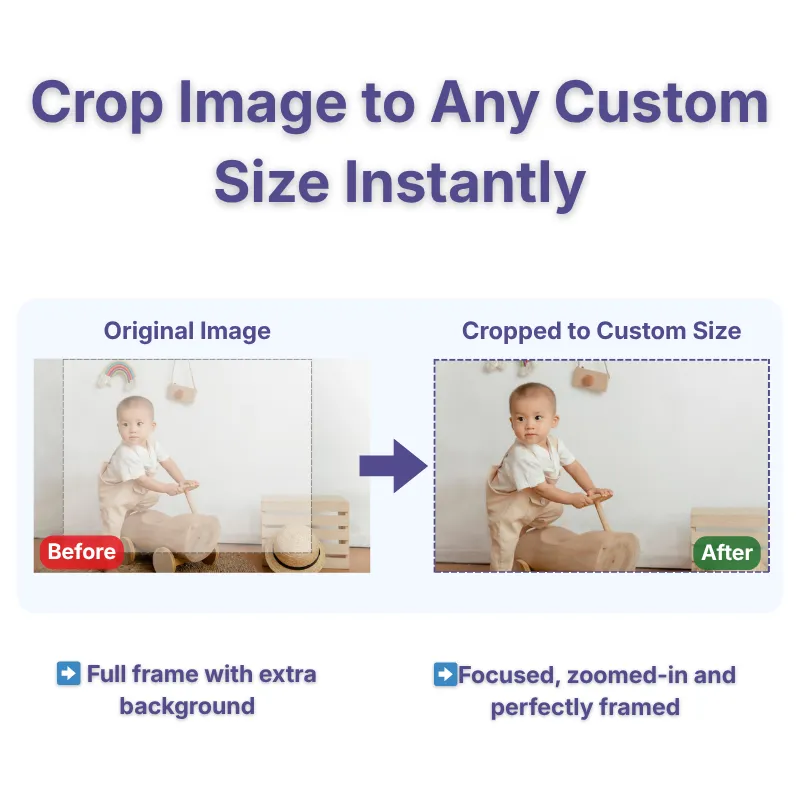
See a real-time preview of your cropped image to ensure it meets your expectations before downloading. Adjust the crop area easily by dragging or resizing the selection box. The instant feedback helps you make precise edits quickly. This makes it easy to get the perfect crop every time.
Choose from popular formats like PNG, JPG, WebP, or GIF for your final image download. This flexibility ensures compatibility across different platforms and uses. Select your preferred format after cropping and preview the result before downloading. The tool guarantees high-quality output in your chosen format. No extra conversions or software needed.
The tool is designed with simplicity in mind, the interface provides all features in an accessible manner. Clear buttons, labeled fields, and straightforward controls make cropping easy for users of all skill levels. Enjoy a hassle-free experience whether on desktop or mobile devices.
The tool is completely free to use with no restrictions on the number of images processed. No registration, login, or account creation required. Simply upload, crop, and download. Your privacy is protected, and images are not stored beyond your session.
Frequently Asked Questions
The tool supports PNG, JPG, WebP, and GIF formats for output. You can upload images in JPG, PNG, or GIF formats. After cropping, choose your preferred format to download the final image.
Yes, enter the exact width and height in pixels to crop your image to your desired size. The tool allows precise dimension input for perfect results. You can also adjust the crop area visually before finalizing.
Yes, you can crop images to any specific dimensions, regardless of the aspect ratio. Simply input your desired width and height, and adjust the crop area accordingly. The preview helps you see the exact framing.
The tool is designed for cropping to specific sizes, but you can also resize by inputting desired dimensions. Cropping will cut out the unwanted parts, and resizing adjusts the overall dimensions.
Currently, the tool processes one image at a time. You can repeat the process for multiple images without any hassles.
The platform supports standard image sizes, but very large files may take slightly longer to upload and process. No explicit limit is set, but device capabilities may vary.
Preview to see exactly how the cropped image will look before downloading. Adjust dimensions and crop area as needed for perfect framing.
Yes, as long as the original image supports transparency (like PNG), the crop preserves it. JPG images do not support transparency.
Yes, the platform is device-friendly and works seamlessly on desktops, tablets, and smartphones. The interface adapts to different screen sizes.
Yes, enter precise width and height values, and the crop box will adjust accordingly.
Yes, once downloaded, you can use the images for personal or commercial projects without restrictions.
Over 500k Users Rely on Our Image Editing Tools Monthly
Join a growing community of creators who trust safeimagekit.com for versatile image editing and processing solutions.